Workforce
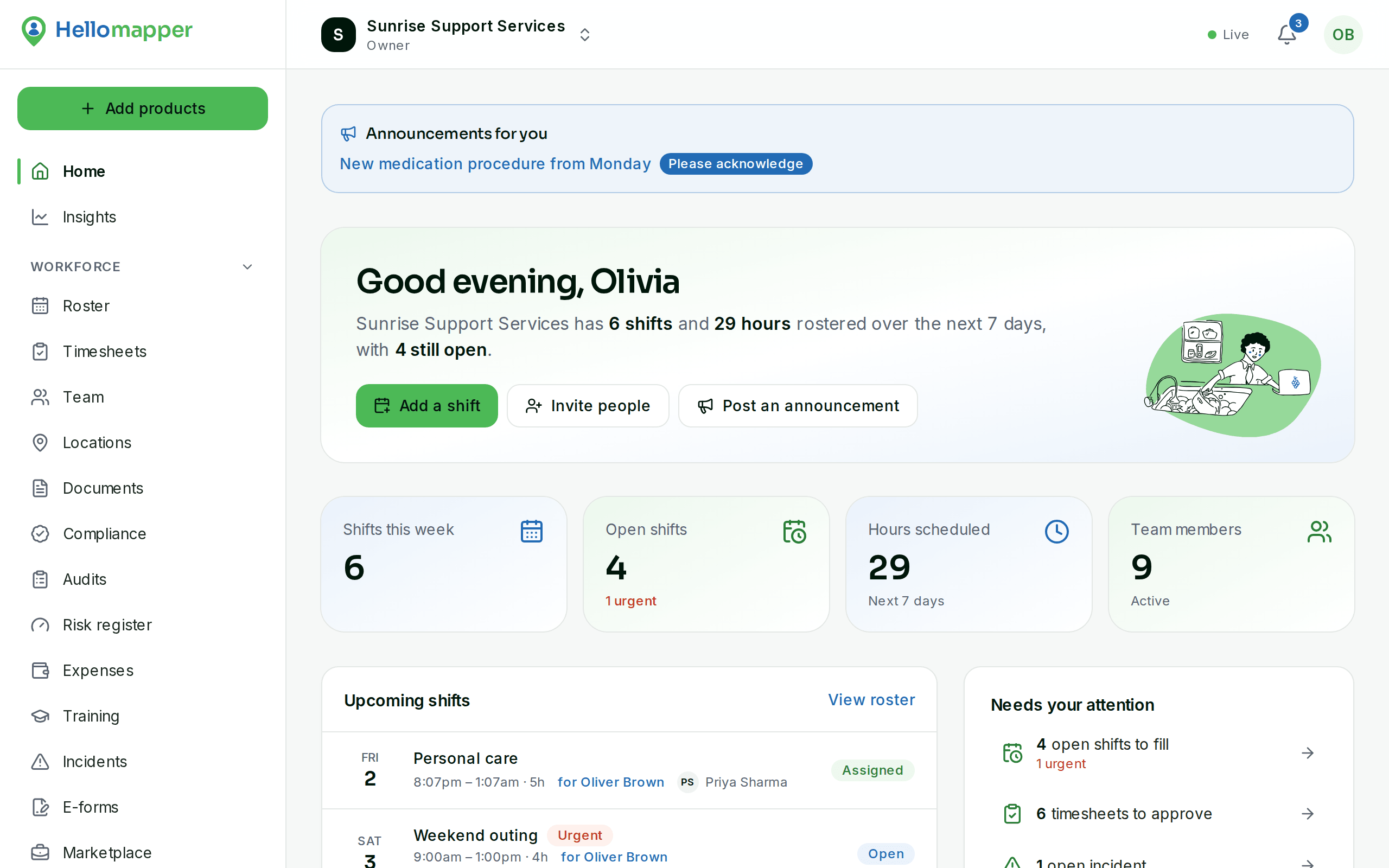
Build the week's roster, fill gaps in a tap, and turn check-ins into approved timesheets.
- Weekly roster with clashes and leave checked as you go
- Open and urgent shifts workers pick up from their phone
- Check in and out by location, with welfare checks for lone workers
Free to start, excluding GST. See pricing
The whole week on one screen
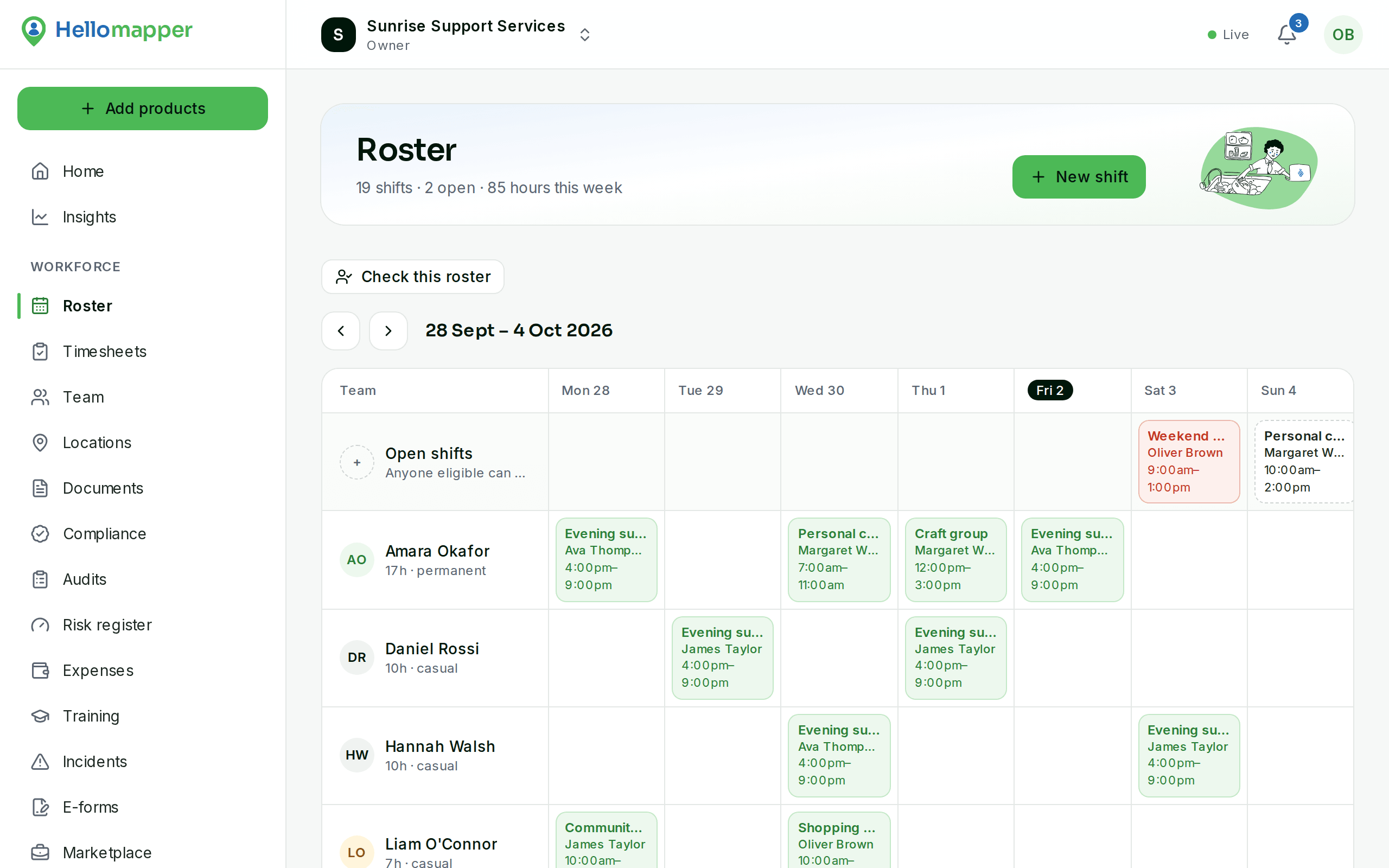
Workers as rows, days as columns. Open and urgent shifts sit at the top so nothing slips, hours add up as you build, and recurring shifts repeat themselves.
- Clashes across every organisation a worker belongs to are blocked
- Approved leave and availability shown while you roster
- Recurring shifts with one place for changes
Extra shifts filled in one tap
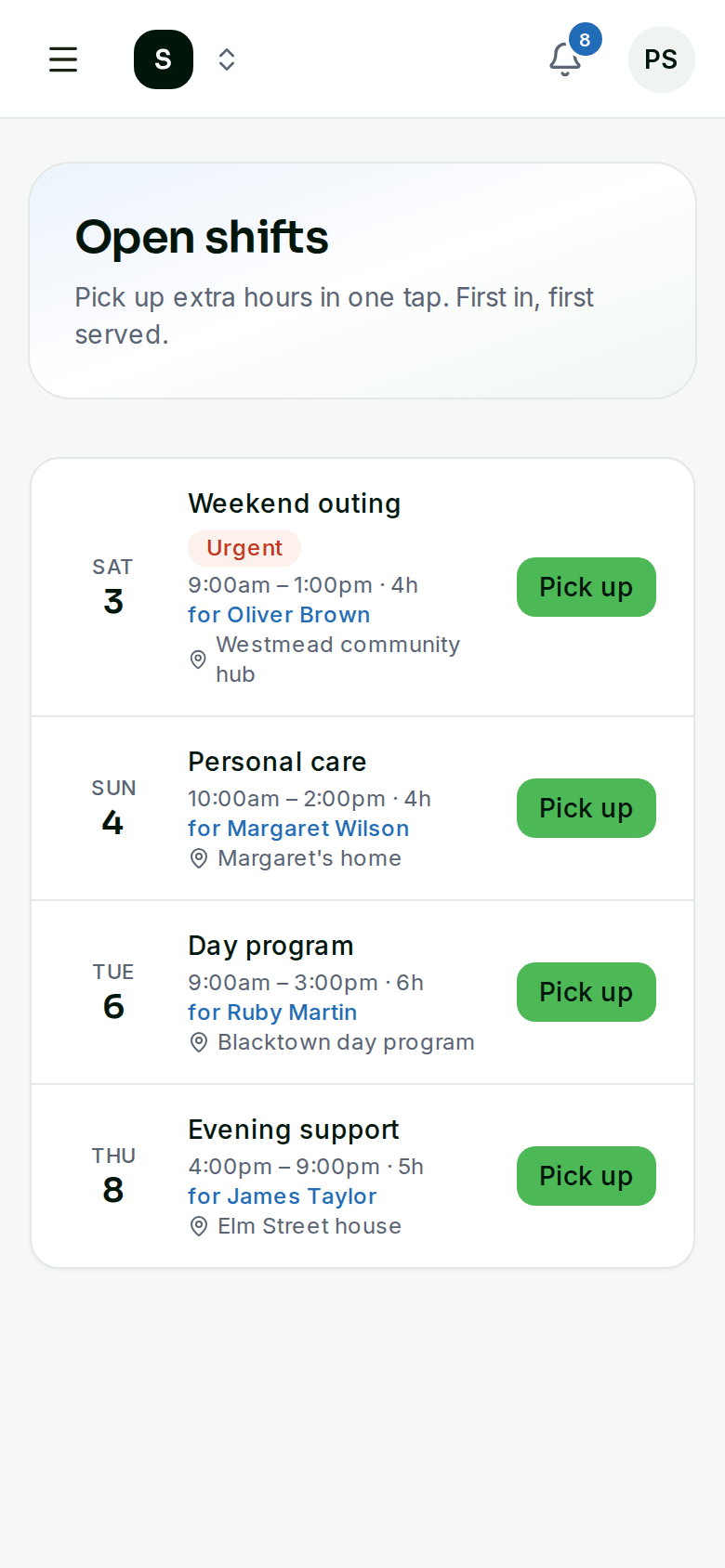
Publish a shift as open and eligible workers see it straight away. Mark it urgent and they're emailed and, if you use SMS, texted. The first to pick it up gets it.
- Only workers who are cleared and free can pick it up
- Reply YES by text to claim an urgent shift
- Unscheduled work recorded with a start button
Timesheets you can trust
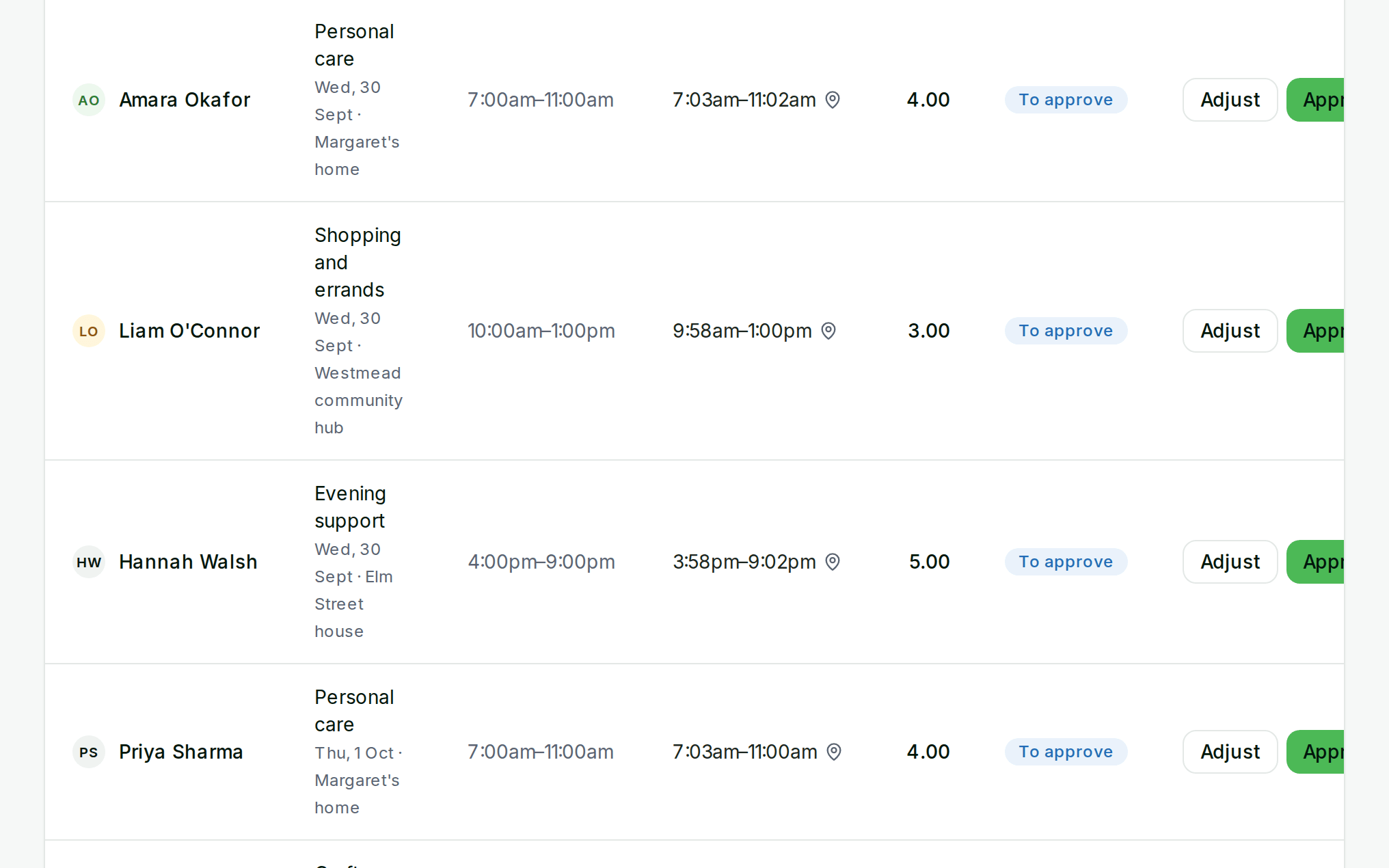
Workers check in and out on site. Coordinators see the times, location accuracy, breaks and the participant's signature, then adjust or approve in one place.
- Welfare checks with an I'm OK and I need help button
- Export approved hours for payroll
- Approved hours flow straight into invoices
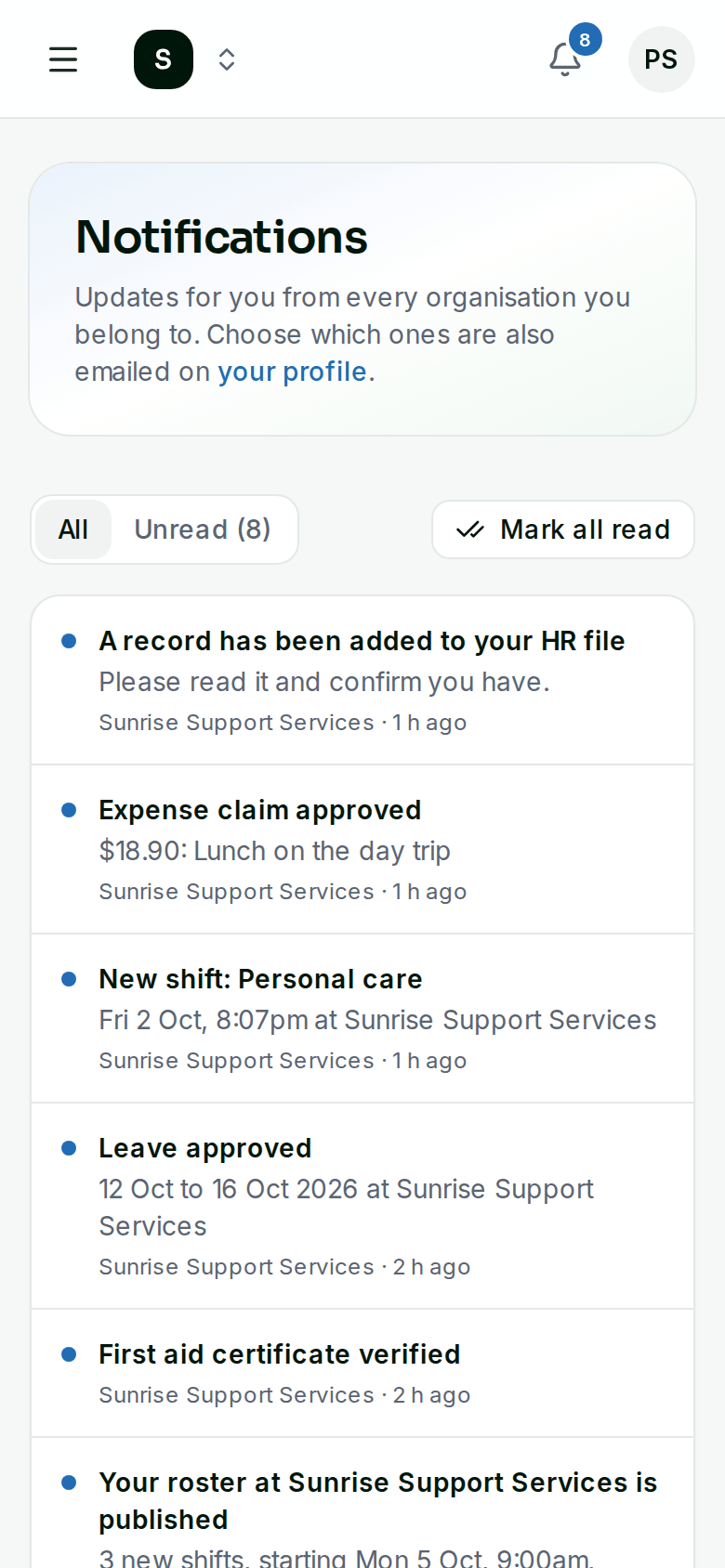
Everyone hears about changes
New shifts, published rosters, approved timesheets and leave decisions arrive as notifications in the app, and by email if people want them. Shifts sync to Google, Apple or Outlook calendars from a private link.
- Each person chooses which emails they get
- Workers choose the places they'll take extra shifts
- Calendar feed shows only their own shifts
More in Workforce
Pricing and billing
What does it cost?
Every module is a monthly subscription in Australian dollars, excluding GST, and you only pay for the modules you switch on. Current prices, including any free plan for small teams, are on our pricing page.
Do I have to buy everything?
No. Every module is a separate subscription. Switch on only what you need, and turn modules on or off from your dashboard at any time.
How do we pay?
By card, through Stripe. You can pay monthly or yearly, and download invoices from the billing page. We never see or store your card number.
Can we cancel?
Yes, at any time from your dashboard. Your subscription runs to the end of the period you've paid for.
More questions? Read all FAQs or contact us.
Get started with Workforce
Paid plans start with a 14-day trial.
- Free for teams of up to 10
- Set up in an afternoon
- Cancel anytime